Micro-Servers
Rack Servers
Tower Servers
January 2, 2026

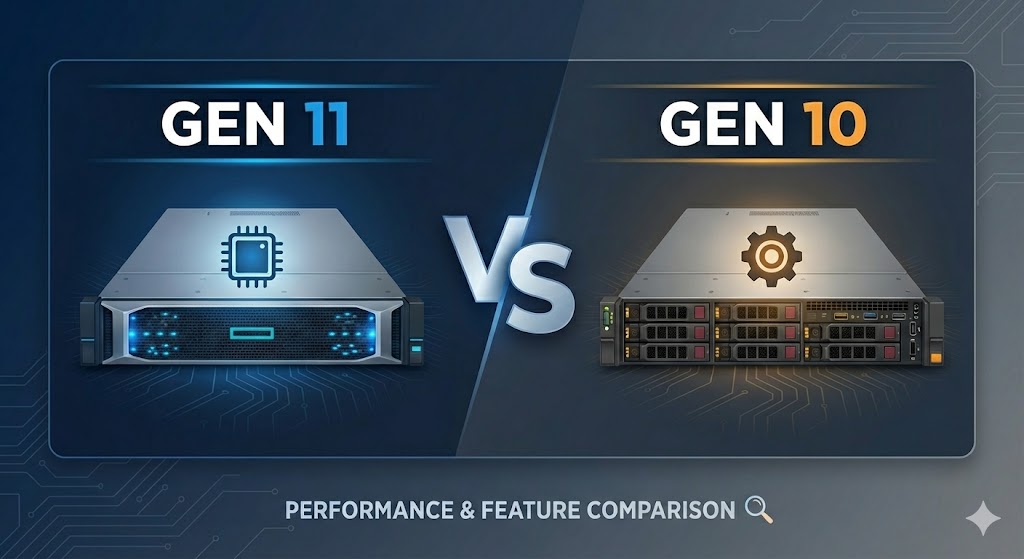
In the world of enterprise infrastructure, "generation" updates often feel like incremental steps—a slightly faster processor here, a bit more RAM there. However, the transition from HPE ProLiant Gen10 (and Gen10 Plus) to Gen11 represents a fundamental architectural shift.
If you are a CTO, IT Manager, or System Admin deciding whether to squeeze more life out of Gen10 or migrate to Gen11, this guide breaks down exactly what has changed under the hood and why it matters for your workloads.
The most visible difference lies in the "Compute" metrics. Gen11 isn't just faster; it provides a significantly wider pipeline for data to travel through.
Gen10 / Gen10 Plus: Primarily relied on Intel Xeon Scalable (1st/2nd Gen) and AMD EPYC (7002/7003 Series). These were powerful, but hit ceilings around 40 cores (Intel) or 64 cores (AMD) per socket.
Gen11: Supports 4th and 5th Gen Intel Xeon Scalable (Sapphire Rapids / Emerald Rapids) and AMD EPYC 4th Gen (Genoa / Bergamo).
The Impact: You are looking at up to 96-128 cores per socket on the AMD side and significantly higher Instructions Per Clock (IPC) on Intel. This allows for massive consolidation (e.g., replacing 3 Gen10 servers with a single Gen11).
This is arguably the most critical upgrade for database and virtualization performance.
Gen10: Uses DDR4 memory, capping out at roughly 3200 MT/s.
Gen11: Introduces DDR5 SmartMemory.
The Impact: Bandwidth jumps to 4800 MT/s and beyond. DDR5 also includes on-die ECC (Error Correction Code), reducing the burden on the memory controller and improving reliability for massive in-memory databases (like SAP HANA).
Gen10: Operated on PCIe Gen 3 and Gen 4.
Gen11: Standardizes PCIe Gen 5.
The Impact: PCIe Gen 5 doubles the data transfer rate of Gen 4. If you are using modern NVMe storage or high-end GPUs for AI inference, Gen10 is a bottleneck. Gen11 opens the floodgates.
HPE’s Integrated Lights-Out (iLO) is the gold standard for remote server management. Gen11 introduces iLO 6, which is less about "new buttons" and more about security supply chains.
| Feature | iLO 5 (Gen10) | iLO 6 (Gen11) |
| Primary Focus | Remote Management & Silicon Root of Trust | Security Supply Chain & Cloud Integration |
| Security Standard | Silicon Root of Trust | SPDM (Security Protocol and Data Model) |
| Authentication | Standard | Component-level authentication (verifies every card/drive) |
| Management | OneView / InfoSight | HPE GreenLake Compute Ops Management (Cloud-native) |
Key Takeaway: iLO 6 introduces SPDM, which allows the server to authenticate components (like network cards and storage controllers) to ensure they haven't been tampered with in the supply chain.
Gen10 servers were dominated by the standard SFF (2.5") and LFF (3.5") drive form factors. While Gen11 still supports these, it introduces support for EDSFF (Enterprise & Data Center SSD Form Factor), specifically the E3.S drives.
Why it matters: EDSFF drives are designed purely for Flash storage (unlike 2.5" drives which are legacy shapes from the spinning disk era). They allow for better cooling, higher density, and twice the performance density of traditional SSDs.
Not every workload needs the firepower of Gen11. Here is a quick guide to help you decide.
Budget is Priority: Gen10 hardware is now widely available on the refurbished market or at lower price points.
Standard Workloads: File servers, domain controllers, or light web servers do not need DDR5 speeds.
Legacy Compatibility: You have strict OS requirements that don't support the latest hardware drivers.
AI & ML Workloads: You need the PCIe Gen 5 bandwidth to feed modern GPUs (NVIDIA H100/L40s).
Virtualization Density: You want to reduce your data center footprint (rack space/power) by running more VMs on fewer physical boxes.
Security Compliance: You require the strictest supply chain security (SPDM) for government or financial data.
Hybrid Cloud: You want to manage your on-prem servers via a cloud portal (GreenLake) rather than a local VPN.
| Feature | HPE ProLiant Gen10 | HPE ProLiant Gen11 |
| CPU Generation | Intel Scalable Gen 1-2 / AMD EPYC 7002 | Intel Scalable Gen 4-5 / AMD EPYC 9004 |
| Max Memory Speed | DDR4-2933 / 3200 | DDR5-4800 / 5600 |
| Expansion Slots | PCIe Gen 3.0 / 4.0 | PCIe Gen 5.0 (Double Bandwidth) |
| Management | iLO 5 | iLO 6 (with GreenLake COM) |
| Form Factors | Standard Rack/Tower | Optimized for EDSFF & GPU density |
The jump to Gen11 is about resolving bottlenecks. If your CPU utilization is low but your applications are sluggish, you are likely bottlenecked by memory bandwidth or I/O throughput—problems that Gen11 solves specifically.
